Aaj ke time me automation ka use business aur personal dono ke liye fast grow ho raha hai. Agar aap seekhna chahte hain ki n8n se WhatsApp automation kaise kare, to ye guide aapke liye complete roadmap hai.
WhatsApp automation ke through aap:
- auto reply bhej sakte hain
- customer support automate kar sakte hain
- order notifications bhej sakte hain
- leads handle kar sakte hain
Agar aap beginner ho to pehle ye guides padhe:
- n8n AI Software kya hai
- n8n workflow kya hota hai
- n8n nodes kya hote hain
- n8n webhook kya hota hai
- n8n se Telegram automation kaise kare
Official website:
https://n8n.io
Is article me hum detail me samjhenge n8n se WhatsApp automation kaise kare step-by-step.
WhatsApp automation kya hota hai
WhatsApp automation ka matlab hai:
- auto message send
- auto reply
- chatbot
- business automation
- notifications
Ye sab API ke through hota hai.
Isi liye log search karte hain
n8n se WhatsApp automation kaise kare
WhatsApp automation ke liye kya chahiye
WhatsApp automation direct nahi hota, iske liye aapko API use karni padti hai.
Options:
1 WhatsApp Business API
Official method
2 Third-party tools
- Twilio
- 360dialog
- WATI
Ye tools WhatsApp ko n8n se connect karte hain.
n8n me WhatsApp automation kaise kaam karta hai
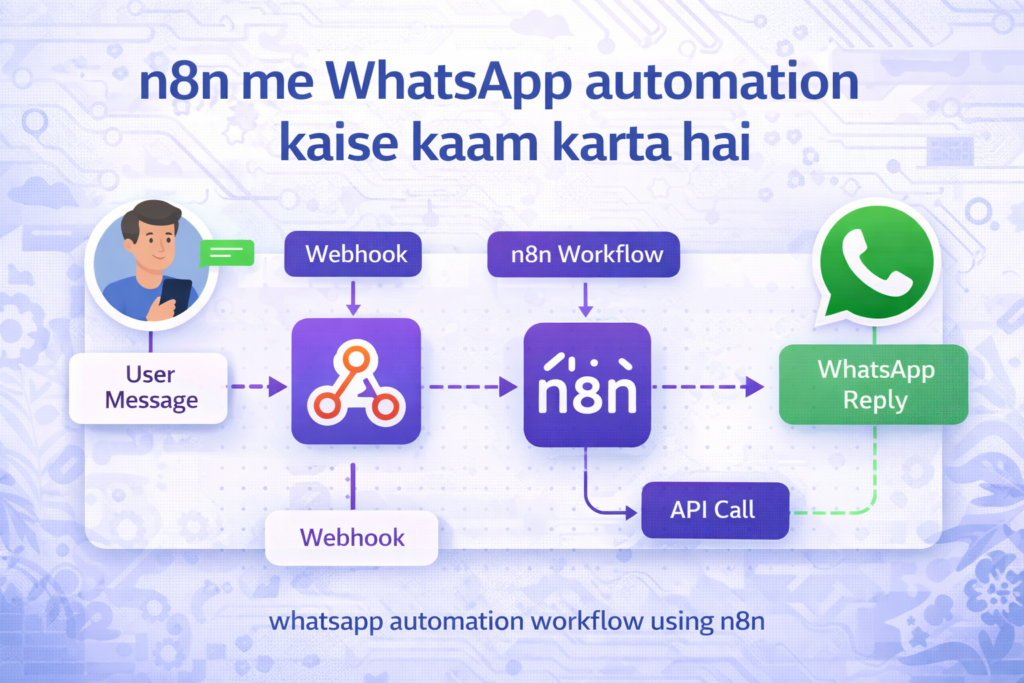
Flow:
User message
↓
Webhook
↓
n8n workflow
↓
API call
↓
WhatsApp reply
Ye pura system automation hai.
Step-by-step WhatsApp automation setup
Step 1: API choose kare
Example: Twilio
Account banaye
API key le
Step 2: n8n me webhook create kare
Webhook node add kare
URL generate kare
Step 3: API connect kare
HTTP request node use kare
Twilio API connect kare
Step 4: message send kare
Parameters:
- to number
- from number
- message body
Step 5: workflow test kare
Run kare
Message check kare
WhatsApp automation example
Example:
Customer message
↓
Webhook
↓
AI response
↓
WhatsApp reply
Automation done.
WhatsApp chatbot automation
Use case:
✔ auto reply
✔ FAQ bot
✔ support bot
✔ lead bot
Advanced automation ideas
✔ order tracking
✔ payment alert
✔ OTP system
✔ CRM integration
✔ AI chatbot
WhatsApp automation ke fayde
✔ 24/7 automation
✔ customer support
✔ time saving
✔ business growth
✔ no coding
✔ scalable system
FAQ
n8n se WhatsApp automation kaise kare
API use karke workflow banate hain
WhatsApp automation free hai kya
limited free
kya WhatsApp direct connect hota hai
nahi API chahiye
best API kaun si hai
Twilio
kya coding chahiye
basic nahi
Conclusion
Ab aap samajh gaye honge n8n se WhatsApp automation kaise kare aur kaise aap apna WhatsApp business automation setup kar sakte hain. Ye ek powerful tool hai jo aapke kaam ko completely automate kar deta hai.
- Real Estate AI Photo Prompts: Create Stunning Property Images That Sell Faster (2026 Guide)
- Car Dealer AI Photo Prompts: Create Professional Vehicle Photos That Sell Faster (2026 Guide)
- Jewelry Photography AI Prompts: Luxury Product Images Without Expensive Equipment 2026 guide
- E-Commerce Product Photo AI Prompts: Amazon & Flipkart Style Images in Minutes (2026 Guide)
- Facebook Profile AI Photo Prompts: Upgrade Your Social Presence Instantly
Pingback: n8n Se Email Automation Kaise Kare (Complete Guide 2026)