Automation is no longer a luxury — it has become a necessity. If you are using n8n AI software, the real power lies in creating smart workflows that automate repetitive tasks, save time, and scale your work efficiently.
In this article, we will explore 10 real-world n8n workflow examples that beginners and professionals can use to automate daily tasks using AI. These examples are practical, easy to understand, and widely used in blogging, marketing, business operations, and customer support.
If you are new to n8n or already experimenting with AI automation, this guide will help you understand how n8n workflows actually work in real life.
What Is an n8n Workflow?
An n8n workflow is a sequence of connected nodes that automate tasks between apps, APIs, and services.
Each workflow usually has:
- Trigger Node – Starts the workflow (Webhook, Schedule, Form, etc.)
- Action Nodes – Perform tasks (Send email, write data, call AI, etc.)
- Logic Nodes – Control flow (IF, Switch, Merge)
In simple words, n8n workflows allow you to connect tools and automate actions without manual work.
Why Use AI With n8n Automation?
Combining AI with n8n makes automation smarter and more powerful.
Key benefits:
- Saves hours of manual work
- Reduces human errors
- Generates content automatically
- Analyzes data intelligently
- Improves decision-making
- Works 24/7 without supervision
That’s why n8n AI workflows are becoming popular among bloggers, developers, startups, and agencies.
10 Real-World n8n Workflow Examples (With Use Cases)
Below are the most searched and practical n8n workflow examples used today.
1. AI Blog Content Automation Workflow
Use Case: Bloggers & content creators
How it works:
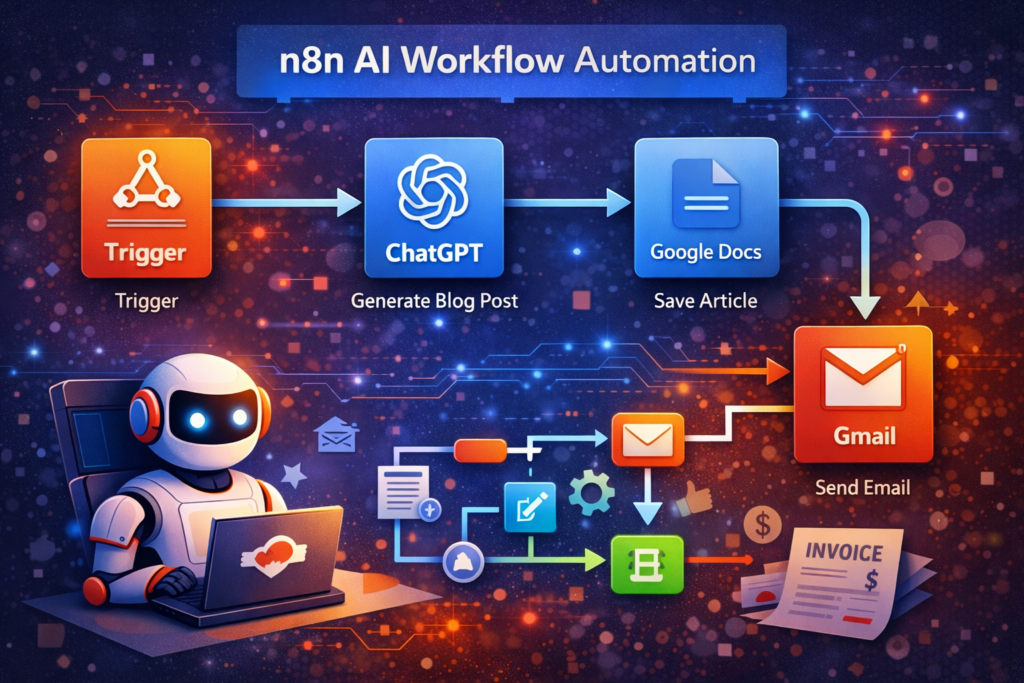
- Trigger: Google Sheet / Form
- AI Node (ChatGPT): Generate blog content
- Google Docs: Save article
- Email: Notify editor
This workflow automatically converts ideas into AI-generated blog posts, saving massive writing time.
2. WhatsApp Message Automation Using n8n
Use Case: Businesses & customer support
Workflow flow:
- Trigger: New order / form submission
- Message formatting node
- WhatsApp API
- Customer receives instant notification
This automation is widely used for order alerts, appointment reminders, and support updates.
3. Email Marketing Automation Workflow
Use Case: Marketing & lead nurturing
Workflow steps:
- Trigger: New subscriber
- AI Node: Generate personalized email
- Gmail / SMTP: Send email
- Delay: Follow-up after X days
This n8n workflow helps in automated welcome emails, follow-ups, and drip campaigns.
4. Google Sheets Data Automation Workflow
Use Case: Data handling & reporting
How it works:
- Trigger: Form submission
- Store data in Google Sheets
- AI Node: Generate summary
- Email report automatically
Perfect for survey analysis, lead tracking, and business reports.
5. Social Media Auto-Posting Workflow
Use Case: Bloggers & social media managers
Workflow logic:
- Trigger: New blog published
- AI Node: Generate captions & hashtags
- Post to Twitter, LinkedIn, Facebook
This workflow ensures consistent social media posting without manual effort.
6. AI Customer Support Bot Using n8n
Use Case: Websites & SaaS products
Workflow steps:
- Trigger: Webhook from website chat
- ChatGPT: Generate response
- Send reply via email or chat
This setup works as a basic AI customer support agent using n8n.
7. Lead Capture and CRM Automation
Use Case: Sales teams & agencies
Workflow flow:
- Trigger: Website form submission
- Save lead to CRM
- AI Node: Analyze lead quality
- Notify sales team
Helps businesses respond faster and close more leads.
8. YouTube Video Description Generator Workflow
Use Case: YouTubers
Automation process:
- Trigger: Video title input
- AI Node: Generate description & tags
- Save to Google Docs
- Email output
This workflow saves time and improves YouTube SEO optimization.
9. Invoice and PDF Automation Workflow
Use Case: Freelancers & agencies
Workflow steps:
- Trigger: Payment confirmation
- Generate invoice PDF
- Email invoice automatically
Perfect for billing and finance automation.
10. Website Monitoring and Alert Workflow
Use Case: Website owners
How it works:
- Trigger: Scheduled uptime check
- IF node: Detect downtime
- Send alert via Email / Telegram
This ensures your website stays monitored 24/7 without manual checks.
n8n Workflow Examples for Beginners (Best Tips)
If you’re just starting with n8n:
- Start with simple workflows
- Use n8n templates
- Test workflows before activation
- Handle errors properly
- Avoid unnecessary nodes
Small workflows perform better and are easier to debug.
Common Mistakes While Creating n8n Workflows
Many beginners make these mistakes:
- Creating overly complex workflows
- Ignoring error handling
- Not testing workflows properly
- Exceeding API limits
- No backup or version control
Avoiding these mistakes improves workflow performance and reliability.
Is n8n Better Than Zapier for Automation?
Short answer: Yes, in many cases.
n8n vs Zapier comparison
n8n advantages:
- Self-hosted
- No task limits
- Advanced logic control
- Better AI integration
Zapier is beginner-friendly, but n8n offers more power, flexibility, and long-term cost savings.
Conclusion
n8n is not just an automation tool — it is a complete AI workflow engine. By using these n8n workflow examples, you can automate blogging, marketing, customer support, data processing, and much more.
If you are serious about automation and AI, learning n8n workflows is one of the best future-proof skills you can build.
👉 In the next article of this series, we will cover advanced n8n AI automation and comparisons to help you scale further.