Kabhi passport, visa, government form ya job application ke liye photo khinchwane gaye ho aur sirf passport size photo ke liye ₹100–₹500 tak pay karna pada ho? Aaj AI tools is problem ko kaafi had tak solve kar rahe hain. Passport Size Photo AI Prompts ki help se aap ghar baithe studio-quality photos create kar sakte hain jo professional, clean aur document-ready lagti hain. Sabse interesting baat ye hai ki bahut se users ko pata hi nahi ki AI prompts ki help se simple mobile selfie ko bhi passport photo style me transform kiya ja sakta hai. Is guide me hum Passport Size Photo AI Prompts ko detail me samjhenge.
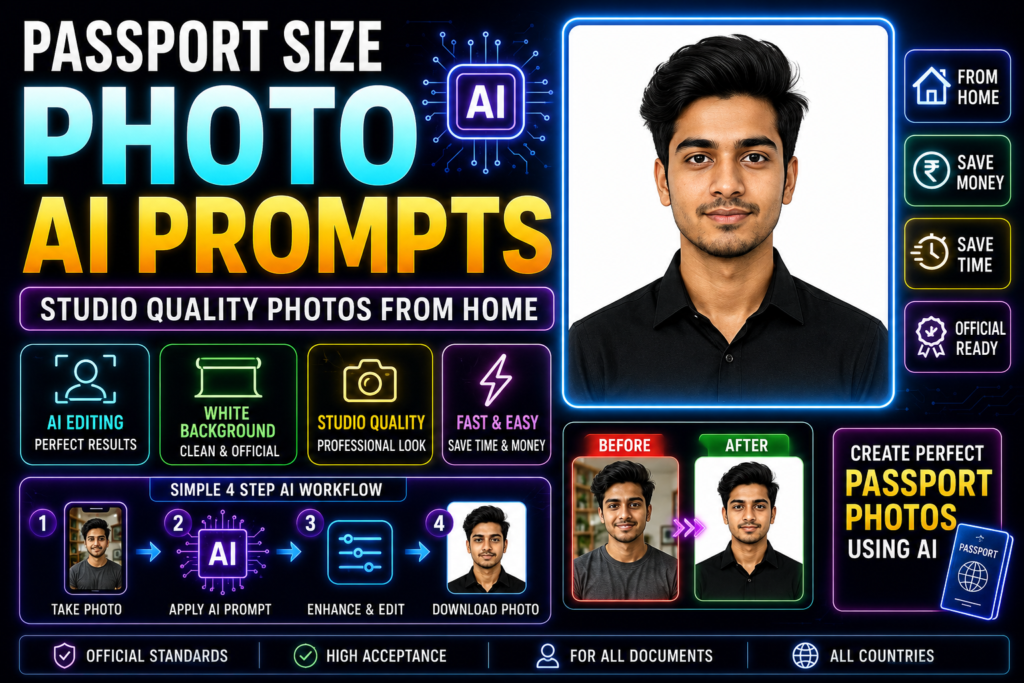
Table of Contents
- Quick Answer
- Why Trust This Guide?
- What Are Passport Size Photo AI Prompts?
- Why People Are Using AI for Passport Photos
- Benefits of Passport Size Photo AI Prompts
- Best AI Tools for Passport Photos
- Passport Photo Requirements Explained
- 25 Powerful Passport Size Photo AI Prompts
- Common Use Cases
- Part 1 Summary
Quick Answer
Passport Size Photo AI Prompts detailed instructions hote hain jo AI tools ko guide karte hain taaki ordinary photos ko clean, professional aur passport-style images me convert kiya ja sake.
Example:
Basic Prompt:
“Make this a passport photo.”
Professional Prompt:
“Transform this portrait into a professional passport size photo with plain white background, natural facial appearance, studio lighting, sharp details, neutral expression and official document photo standards.”
Professional prompt usually much better result deta hai.
Why Trust This Guide?
Ye guide based hai:
- AI image editing tool testing
- Practical photo editing workflows
- Passport photo standards research
- Real-world use cases
- Professional photography principles
Maine khud observe kiya hai ki bahut log passport photo ke liye unnecessarily studio visit karte hain jabki AI tools basic preparation ke saath kaafi useful results de sakte hain.
What Are Passport Size Photo AI Prompts?
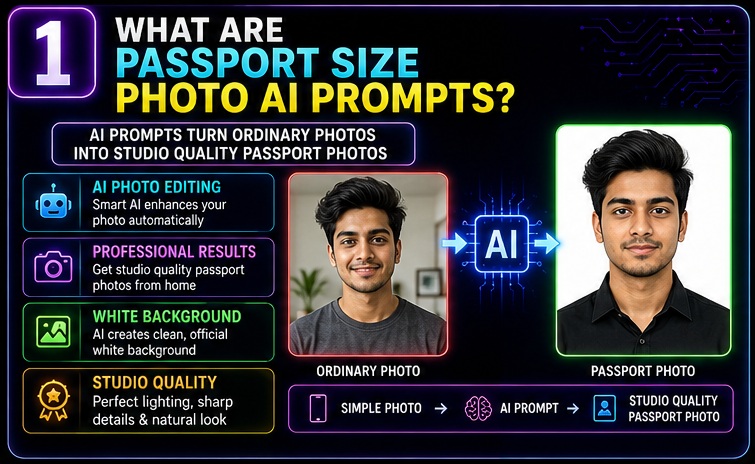
Simple language me:
Passport Size Photo AI Prompts AI tools ko specific instructions dete hain ki photo ko document-friendly format me convert kiya jaye.
Ye prompts help karte hain:
- Background remove karne me
- White background add karne me
- Lighting improve karne me
- Face sharpen karne me
- Passport-style composition create karne me
Result:
Ordinary Photo → Passport Style Professional Photo
Isi transformation ko improve karne ke liye Passport Size Photo AI Prompts use kiye jate hain.
Agar aap AI-based image enhancement aur prompt writing ki complete foundation samajhna chahte hain, to AI Photo Editing Prompts guide zarur explore karein. Ye hamari pillar guide hai jisme photo transformation techniques, prompt frameworks aur AI editing workflows detail me explain kiye gaye hain. Passport Size Photo AI Prompts ko effectively use karne ke liye ye strongest starting point hai.
Why People Are Using AI for Passport Photos
Aaj AI-powered photo editing rapidly popular ho rahi hai.
Iske kai reasons hain.
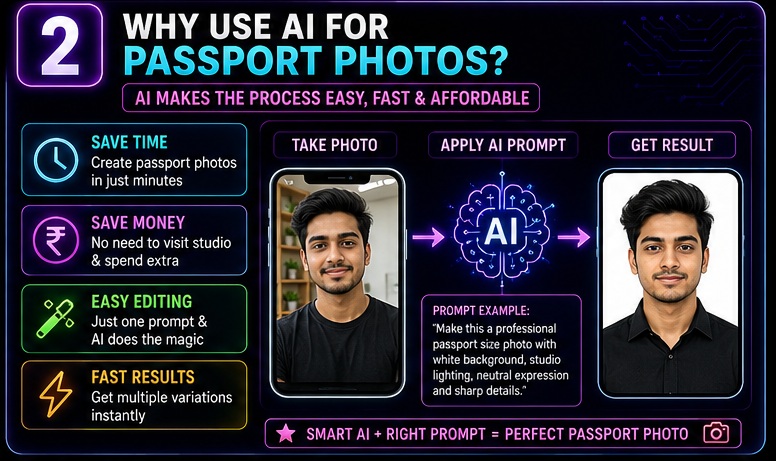
Convenience
Ghar se hi photo create ki ja sakti hai.
Studio visit karne ki zarurat kam ho jati hai.
Time Saving
5–10 minute me basic editing possible hai.
Cost Reduction
Repeated studio visits avoid kiye ja sakte hain.
Multiple Variations
Different passport photo versions create kiye ja sakte hain.
Easy Background Correction
White background generate karna kaafi easy ho gaya hai.
Benefits of Passport Size Photo AI Prompts
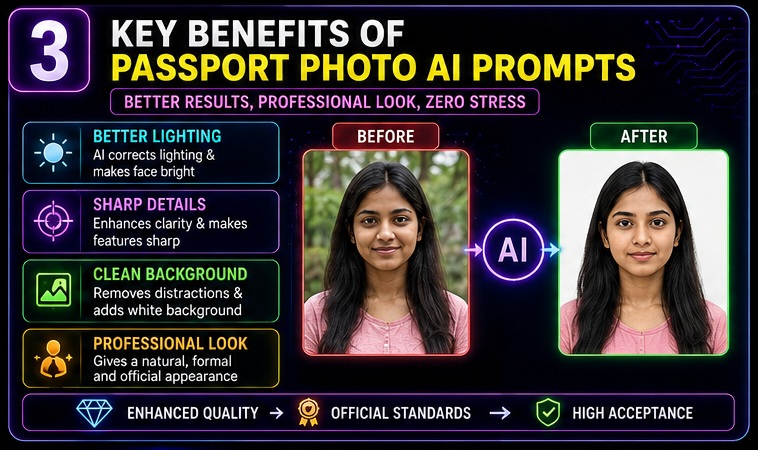
Passport Size Photo AI Prompts sirf editing ke liye nahi hote.
Ye complete workflow ko improve karte hain.
Better Lighting
Poor lighting ko improve kiya ja sakta hai.
Cleaner Background
Distracting background remove kiya ja sakta hai.
Professional Appearance
Image more polished lag sakti hai.
Faster Editing
Manual editing ki requirement kam ho sakti hai.
Consistent Results
Multiple photos me same quality maintain ki ja sakti hai.
Professional passport photos me lighting ka role bahut important hota hai. Isi liye Studio Lighting AI Photo Prompts article bhi helpful resource ho sakta hai. Is guide me professional lighting setups aur portrait enhancement techniques cover ki gayi hain jo passport-style photos ki quality improve kar sakti hain.
Best AI Tools for Passport Photos
Agar aap Passport Size Photo AI Prompts use karna chahte hain to ye tools kaafi useful ho sakte hain.
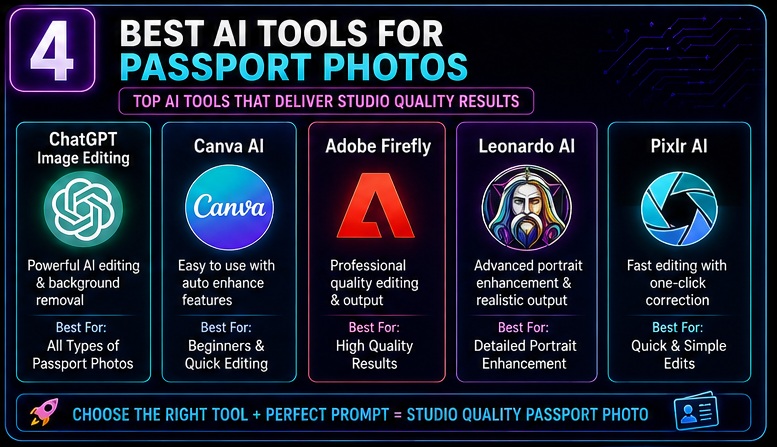
ChatGPT Image Editing
Background correction aur portrait enhancement ke liye useful.
Adobe Firefly
Professional editing capabilities.
Canva AI
Beginner-friendly platform.
Leonardo AI
Portrait enhancement ke liye useful.
Flux AI
Realistic image generation ke liye popular.
Pixlr AI
Quick edits ke liye helpful.
Agar aap professional-looking document photos ke saath personal branding photos bhi create karna chahte hain, to Professional LinkedIn Headshot AI Prompts guide bhi zarur padhein. Is article me executive portraits aur professional profile image optimization techniques explain ki gayi hain.
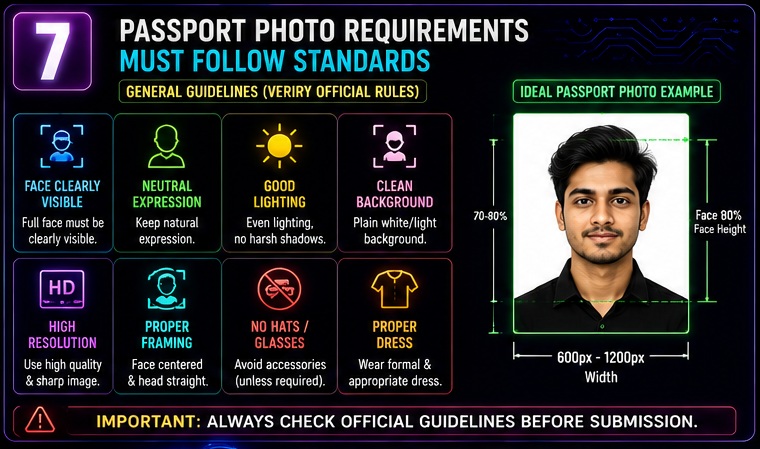
Passport Photo Requirements Explained
Passport Size Photo AI Prompts use karne se pehle basic requirements samajhna important hai.
Note:
Different countries aur organizations ke rules different ho sakte hain.
Always official requirements verify karein.
Neutral Expression
Usually natural expression preferred hoti hai.
Face Clearly Visible
Face properly visible hona chahiye.
Good Lighting
Face par heavy shadows avoid karni chahiye.
Clean Background
Generally plain background preferred hota hai.
High Resolution
Blurry images avoid karni chahiye.
Proper Framing
Face correctly positioned hona chahiye.
Passport photo requirements aur official specifications verify karne ke liye Passport Seva Portal ka official resource check kar sakte hain. Yahan Indian passport photo guidelines aur application-related information regularly update hoti rehti hai.
Portrait composition aur professional image quality ko aur deeply samajhne ke liye Instagram Profile Picture AI Prompts guide bhi useful hai. Is article me face visibility, composition aur profile photo optimization ke concepts cover kiye gaye hain jo passport-style photography me bhi help kar sakte hain.
Common Passport Photo Mistakes
Aajkal bahut log kuch common mistakes karte hain.
Wrong Background
Busy background document photos ke liye suitable nahi hota.
Over Editing
Passport photos natural dikhni chahiye.
Poor Lighting
Dark images rejection risk increase kar sakti hain.
Face Not Centered
Improper composition problem create kar sakti hai.
Low Resolution
Pixelated photos avoid karni chahiye.
25 Powerful Passport Size Photo AI Prompts
1. Standard Passport Photo
Transform this image into a professional passport size photo with white background, natural facial appearance and studio lighting.
2. Government Document Photo
Create an official document-style portrait with neutral expression and clean white background.
3. Visa Application Photo
Generate a visa-ready passport photo with professional composition and natural lighting.
4. Job Application Passport Photo
Create a clean professional passport-style image suitable for job applications.
5. Student ID Photo
Generate a formal student identification portrait with plain background.
6. Aadhaar Style Photo
Create a simple document-friendly portrait with proper face visibility.
7. PAN Card Photo
Generate a clean passport-style image with neutral appearance.
8. Embassy Photo
Create a professional passport image suitable for embassy documentation.
9. Professional White Background Photo
Generate a portrait with pure white background and balanced lighting.
10. Clean Studio Portrait
Transform this image into a studio-quality document portrait.
11–25 Additional Prompt Variations
You can customize:
- Background
- Lighting
- Resolution
- Country-specific requirements
- Formal appearance
- Student documentation
- Employee ID cards
- Visa applications
- Immigration documents
- Government forms
using the same framework.
Common Use Cases
Passport Size Photo AI Prompts multiple scenarios me useful ho sakte hain.
Passport Applications
Most common use case.
Visa Applications
Travel documentation.
Government Forms
Identity verification purposes.
Job Applications
Resume and profile documents.
Student IDs
Educational institutions.
Employee ID Cards
Corporate documentation.
Online Verification
Digital onboarding processes.
Practical Example
Bad Prompt:
“Make this photo professional.”
Good Prompt:
“Transform this image into a professional passport size photo with plain white background, balanced studio lighting, natural skin tones, neutral facial expression and official document style composition.”
Difference noticeable hota hai.
Advanced Passport Size Photo AI Prompt Formula
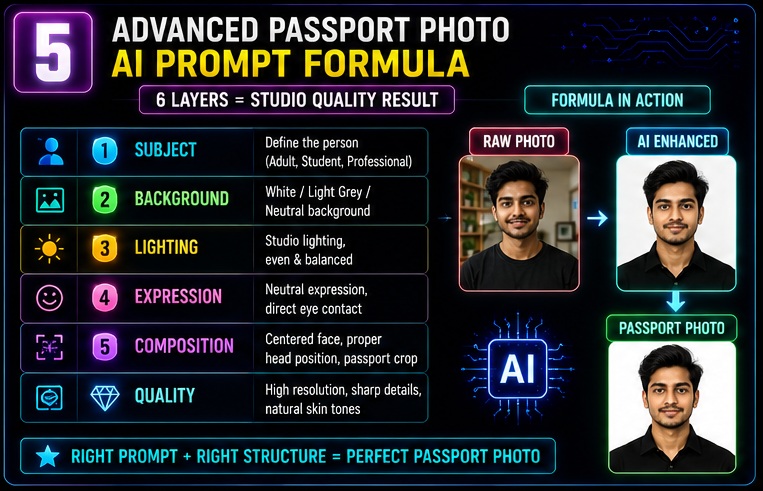
Agar aap genuinely studio-quality results chahte hain to sirf “make passport photo” type prompts use karna enough nahi hai.
Professional users ek structured framework follow karte hain.
Passport Photo Formula
Subject + Background + Lighting + Expression + Composition + Quality Layer
Ye formula almost har successful Passport Size Photo AI Prompts workflow me kaam karta hai.
Step 1: Subject Layer
Sabse pehle AI ko clear batana hota hai ki image ka primary focus kya hai.
Examples:
- Adult Male
- Adult Female
- Student
- Professional
- Government Job Applicant
- Visa Applicant
- Passport Applicant
Example Prompt:
“Professional adult portrait facing camera directly.”
Clear subject better output produce karta hai.
Step 2: Background Layer
Passport photos me background extremely important hota hai.
Maine khud observe kiya hai ki most rejected document photos background issues ki wajah se hote hain.
White Background
Most common requirement.
Prompt:
“Pure white background”
Light Grey Background
Kuch organizations accept karti hain.
Prompt:
“Light grey official document background”
Neutral Background
Professional ID cards ke liye useful.
Prompt:
“Clean neutral background”
Uniform Background
No shadows, no objects.
Prompt:
“Uniform background with no distractions”
Step 3: Lighting Layer
Lighting directly photo quality ko impact karti hai.
Studio Lighting
Most professional option.
Prompt:
“Professional studio lighting”
Benefits:
- Better face visibility
- Sharp details
- Professional appearance
Soft Natural Lighting
Natural look create karti hai.
Prompt:
“Soft natural lighting with balanced exposure”
Even Lighting
Document photos ke liye highly recommended.
Prompt:
“Even facial lighting with no harsh shadows”
Front Lighting
Face clarity improve karti hai.
Prompt:
“Front-facing balanced lighting”
Step 4: Expression Layer
Passport photos me expression critical role play karta hai.
Neutral Expression
Most accepted option.
Prompt:
“Neutral facial expression”
Natural Appearance
Prompt:
“Natural face appearance”
Direct Eye Contact
Prompt:
“Looking directly into camera”
Relaxed Face
Prompt:
“Relaxed professional facial expression”
Step 5: Composition Layer
Composition document photo acceptance ko influence kar sakti hai.
Centered Face
Prompt:
“Centered face composition”
Proper Head Position
Prompt:
“Head aligned vertically”
Passport Crop
Prompt:
“Official passport photo framing”
Symmetrical Alignment
Prompt:
“Symmetrical portrait composition”
Step 6: Quality Layer
Ye layer final output ko premium banati hai.
Always include:
- High resolution
- Sharp facial details
- Professional portrait photography
- Natural skin tones
- Document-ready quality
- Studio quality image
Professional Passport Size Photo Workflow
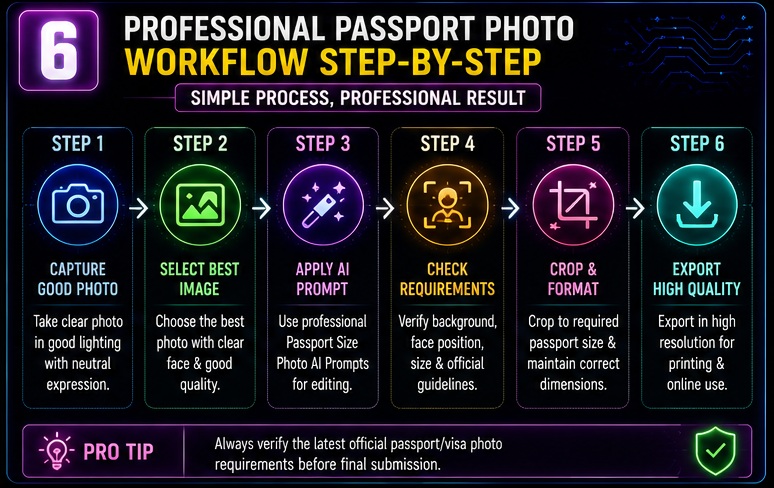
Passport Size Photo AI Prompts ko effectively use karne ke liye ye workflow kaafi useful hai.
Step 1
Best source image choose karein.
Requirements:
- Good lighting
- Clear face
- High resolution
Step 2
Background simplify karein.
Step 3
Appropriate Passport Size Photo AI Prompts apply karein.
Step 4
Passport standards verify karein.
Step 5
Final crop check karein.
Step 6
High-resolution export karein.
Agar aap simple document photos ke alawa daily-use profile pictures bhi improve karna chahte hain, to WhatsApp DP AI Photo Prompts article bhi explore kar sakte hain. Is guide me premium portrait enhancement aur profile image optimization techniques explain ki gayi hain.
Best Prompt Templates
Template 1
Standard Passport Photo
Transform this portrait into a professional passport size photo with pure white background, balanced studio lighting, centered composition, natural skin tones, neutral expression and document-ready quality.
Template 2
Visa Application Photo
Create a visa-ready passport photo with clean white background, professional lighting, direct eye contact and official document composition.
Template 3
Government Form Photo
Generate an official government document portrait with balanced lighting, centered framing and natural appearance.
Template 4
Student ID Photo
Create a professional student ID style portrait with white background and clear facial visibility.
Template 5
Employee ID Photo
Generate a formal employee ID card portrait with studio lighting and professional appearance.
Creative portrait editing aur cinematic visual enhancement seekhne ke liye Bollywood Cinematic AI Photo Prompts guide bhi kaafi interesting resource hai. Is article me movie-style portrait effects aur cinematic editing concepts share kiye gaye hain.
Country-Specific Passport Photo Considerations
Important:
Always official government guidelines verify karein.
AI photo editing help kar sakti hai but official rules follow karna necessary hai.
Indian Passport Applications
Usually focus on:
- Clear face visibility
- Proper lighting
- Neutral background
Visa Applications
Different countries ke requirements vary kar sakte hain.
Embassy Documents
Always embassy guidelines follow karein.
International visa aur passport photo standards ko samajhne ke liye U.S. Department of State Photo Requirements resource bhi useful reference ho sakta hai. Ye official documentation photo guidelines ka trusted source hai.
Government Recruitment Forms
Photo specifications different ho sakti hain.
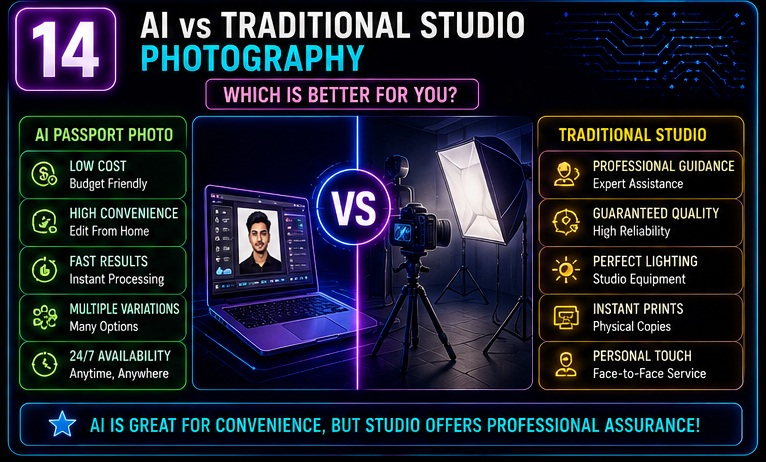
AI vs Traditional Studio Photography
| Feature | AI Assisted | Studio Photography |
|---|---|---|
| Cost | Lower | Higher |
| Convenience | High | Medium |
| Time | Fast | Moderate |
| Multiple Variations | Easy | Limited |
| Professional Guidance | Limited | Available |
| Home Usage | Yes | No |
Luxury-level portrait aesthetics aur premium editing workflows ko samajhne ke liye Luxury Lifestyle AI Photo Prompts guide bhi useful ho sakti hai. Is article me high-end visual presentation aur luxury photo styling techniques explain ki gayi hain.
Real-World Example #1
Passport Renewal
Bad Prompt:
Make passport photo.
Good Prompt:
Create a professional passport renewal photo with white background, direct eye contact, balanced studio lighting and official passport framing.
Result:
More structured output.
Real-World Example #2
Student Scholarship Form
Bad Prompt:
Improve this image.
Good Prompt:
Generate a clean scholarship application photo with white background, professional appearance and document-ready quality.
Real-World Example #3
Job Application
Bad Prompt:
Make photo formal.
Good Prompt:
Create a professional job application portrait with studio lighting, centered composition and clean background.
Real-World Example #4
Employee ID Card
Bad Prompt:
Make photo better.
Good Prompt:
Generate an employee ID card style portrait with neutral background, professional lighting and official composition.
Common Editing Requirements Solved by AI
Aajkal bahut log AI tools use karte hain specific corrections ke liye.
Background Removal
Most common use case.
White Background Creation
Document-ready appearance.
Lighting Correction
Face clarity improve hoti hai.
Sharpness Enhancement
Image quality better lag sakti hai.
Color Balance
Natural skin tones maintain karne me help mil sakti hai.
Professional Quality Checklist
Passport Size Photo AI Prompts use karne ke baad ye checklist follow karein.
Face Visible
✅ Yes
Background Clean
✅ Yes
Lighting Balanced
✅ Yes
Expression Neutral
✅ Yes
Image Sharp
✅ Yes
Proper Framing
✅ Yes
Official Requirements Verified
✅ Yes
Why Prompt Quality Matters
Reality thodi alag hai.
Most people AI tool ko blame karte hain.
Actually issue often prompt quality hoti hai.
Bad Prompt:
“Make passport photo.”
Good Prompt:
“Transform this image into a professional passport size photo with white background, centered composition, balanced lighting, natural appearance and official document standards.”
Specific instructions usually stronger results produce karti hain.
Common Mistakes When Using Passport Size Photo AI Prompts
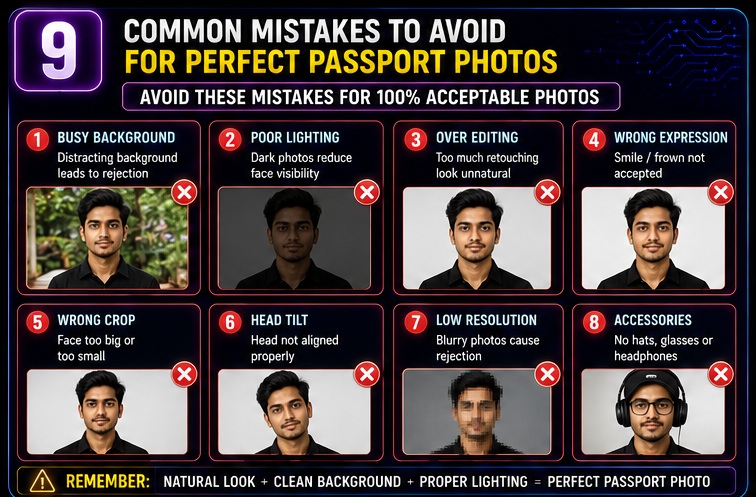
Passport Size Photo AI Prompts powerful results de sakte hain, lekin bahut log kuch mistakes kar dete hain jinki wajah se final image professional nahi lagti ya document requirements ko meet nahi karti.
Agar aap genuinely studio-quality results chahte hain to in mistakes ko avoid karna important hai.
Mistake #1: Overediting the Face
Maine khud observe kiya hai ki beginners sabse zyada ye mistake karte hain.
Examples:
- Unrealistic skin smoothing
- Plastic skin effect
- Excessive beauty filters
- Artificial facial features
Passport photos natural dikhni chahiye.
Document photo ka purpose identity verification hota hai, glamour photography nahi.
Mistake #2: Wrong Background Color
Bahut log random background use kar dete hain.
Examples:
- Blue wall
- Busy room
- Outdoor scenery
- Decorative background
Document photos me generally clean background preferred hota hai.
Always official guidelines verify karein.
Mistake #3: Harsh Shadows
Face par heavy shadows photo quality ko affect kar sakti hain.
Common Causes:
- Side lighting
- Poor room lighting
- Window lighting imbalance
Solution:
Use prompts like:
“Balanced studio lighting with no harsh shadows”
Mistake #4: Cropping Errors
Aajkal bahut log face ko:
- Bahut zoom kar dete hain
- Bahut chhota kar dete hain
- Side position me rakh dete hain
Passport photos me proper framing important hoti hai.
Mistake #5: Low Resolution Images
AI editing low-quality source photo ko completely fix nahi kar sakti.
Best practice:
- Original photo high resolution honi chahiye
- Face clearly visible hona chahiye
Mistake #6: Ignoring Official Requirements
Ye sabse serious mistake hai.
Passport Size Photo AI Prompts helpful hain, lekin final authority official rules hi hoti hain.
Always:
- Passport authority requirements
- Visa office requirements
- Embassy guidelines
- Government form instructions
verify karein.
Mistake #7: Using Selfie Angles
Selfies often create:
- Distortion
- Improper perspective
- Uneven face proportions
Better option:
Straight camera portrait.
Mistake #8: Over Reliance on AI
Reality thodi alag hai.
AI useful hai, lekin professional judgment bhi important hai.
Always manually review final image.
Real-World Passport Photo Workflow
Agar aap ghar se passport-style photo create karna chahte hain to ye practical workflow follow kar sakte hain.
Step 1: Choose a Clean Location
Plain wall use karein.
Distracting background avoid karein.
Step 2: Use Good Lighting
Natural daylight ya balanced room lighting.
Step 3: Capture Multiple Photos
At least:
- Front-facing
- Neutral expression
- Different variations
Step 4: Select Best Image
Face visibility prioritize karein.
Step 5: Apply Passport Size Photo AI Prompts
Professional prompt use karein.
Step 6: Review Output
Check:
- Background
- Lighting
- Face position
- Natural appearance
Step 7: Verify Official Standards
Most important step.
How to Make Money Using Passport Size Photo AI Prompts
Passport Size Photo AI Prompts sirf personal use ke liye nahi hain.
Ye income opportunities bhi create kar sakte hain.
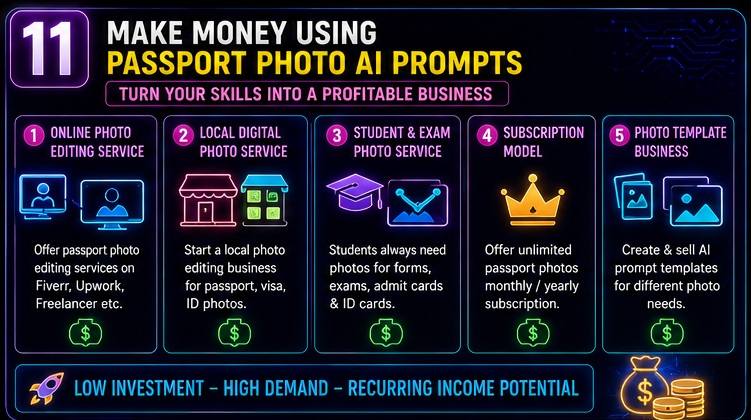
Opportunity #1: Passport Photo Editing Service
Bahut log online passport photo services search karte hain.
Services:
- Background correction
- Passport formatting
- Document-ready exports
Opportunity #2: Freelance Photo Editing
Platforms:
- Fiverr
- Upwork
- Freelancer
Passport photo optimization ek niche service ban sakti hai.
Opportunity #3: Local Digital Services
Agar aap local market me kaam karte hain to:
- Passport photos
- Visa photos
- Student ID photos
editing service provide kar sakte hain.
Opportunity #4: AI Photo Studio Business
Small AI-based photo editing business create kiya ja sakta hai.
Opportunity #5: Government Exam Applicant Services
Students frequently require:
- Passport photos
- Application photos
- ID card photos
Ye recurring demand category hai.
Passport Size Photo AI Prompts for Different Use Cases
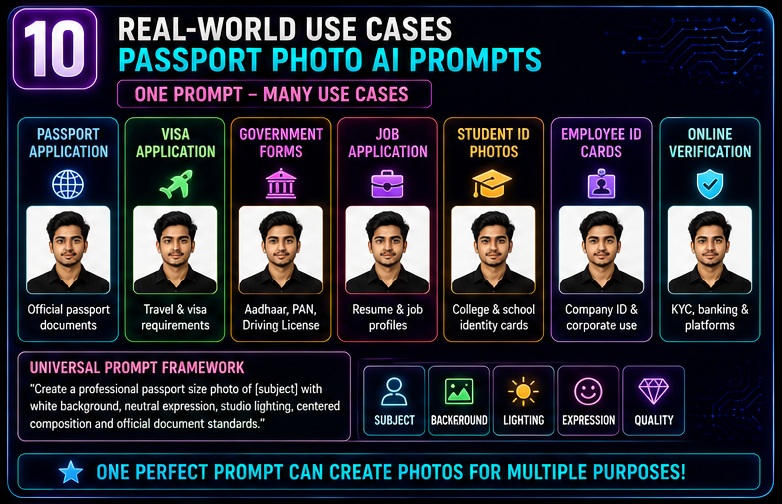
Passport Application
Focus:
- Clean background
- Proper composition
- Neutral expression
Visa Application
Focus:
- Official standards
- Clear facial visibility
Government Recruitment
Focus:
- Professional appearance
- High-resolution image
Student Applications
Focus:
- Identity clarity
- Proper framing
Employee ID Cards
Focus:
- Corporate appearance
- Professional presentation
Online Verification
Focus:
- Face visibility
- Natural image quality
Premium portrait styling aur celebrity-inspired photography concepts ko samajhne ke liye Celebrity Style AI Photo Prompts guide bhi helpful ho sakti hai. Is article me professional-grade portrait transformation techniques explain ki gayi hain.
Future of AI Passport Photography
AI portrait editing rapidly evolve ho rahi hai.
Upcoming trends interesting hain.
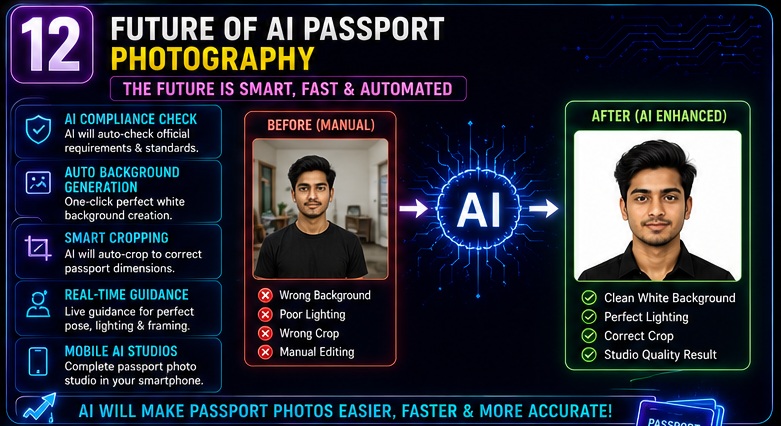
Automated Compliance Checking
AI future me photo requirements automatically verify kar sakta hai.
Smart Background Correction
One-click document photo generation.
Real-Time Passport Formatting
Automatic sizing and cropping.
Better Portrait Enhancement
More realistic results.
Mobile-First Editing
Smartphone-based document photography increase hogi.
AI Document Assistants
Complete application photo preparation systems develop ho sakte hain.
My Take
Mere experience me Passport Size Photo AI Prompts ka biggest advantage convenience hai.
Pehle simple passport photo ke liye:
- Studio visit
- Waiting time
- Additional cost
common tha.
Aaj AI tools basic photo editing ko much easier bana rahe hain.
Lekin ek important point yaad rakhiye:
Passport Size Photo AI Prompts professional assistance ko completely replace nahi karte.
Official documents ke liye always final requirements verify karni chahiye.
Maine khud observe kiya hai ki AI tools:
- Time save kar sakte hain
- Basic corrections improve kar sakte hain
- Better preparation provide kar sakte hain
Lekin compliance responsibility user ki hi hoti hai.
Mere hisab se beginners ke liye Passport Size Photo AI Prompts document photography ko samajhne ka excellent starting point hain.
Frequently Asked Questions (FAQs)
1. Passport Size Photo AI Prompts kya hote hain?
Ye detailed instructions hote hain jo AI tools ko guide karte hain taaki ordinary photos ko passport-style professional images me convert kiya ja sake.
2. Kya AI-generated passport photos officially accepted hoti hain?
Acceptance authority aur requirements par depend karti hai.
Always official guidelines verify karein.
3. Best AI tool kaunsa hai?
Popular options:
- ChatGPT Image Editing
- Adobe Firefly
- Canva AI
- Leonardo AI
- Flux AI
4. Kya mobile photo use ki ja sakti hai?
Haan.
Agar image clear aur high resolution ho to smartphone photos useful ho sakti hain.
5. Kya AI background remove kar sakta hai?
Haan.
Background removal AI editing ka common use case hai.
6. Kya passport photos me beauty filters use karne chahiye?
Generally natural appearance maintain karna better hota hai.
7. Kya AI passport photo completely free bana sakta hai?
Kuch tools free features provide karte hain, lekin advanced editing paid bhi ho sakti hai.
8. Kya students Passport Size Photo AI Prompts use kar sakte hain?
Bilkul.
Student IDs, scholarship forms aur applications ke liye useful ho sakte hain.
Related Opportunities & Next Steps
Passport Size Photo AI Prompts seekhne ke baad aap:
✅ Photo editing skills improve kar sakte hain
✅ Freelance editing services offer kar sakte hain
✅ AI photo business start kar sakte hain
✅ Student documentation services provide kar sakte hain
✅ Local digital services expand kar sakte hain
✅ AI image editing niche me expertise build kar sakte hain
Conclusion
Passport photos sirf formal documentation ka part nahi hain.
Ye identity verification ka important element bhi hoti hain.
Isi wajah se Passport Size Photo AI Prompts rapidly popular ho rahe hain.
Is guide me humne cover kiya:
✅ Passport photo fundamentals
✅ 25 powerful prompts
✅ Advanced prompt framework
✅ Background and lighting systems
✅ Professional workflows
✅ Common mistakes
✅ Income opportunities
✅ Future trends
Sabse important lesson simple hai:
Studio-quality passport-style photos create karne ke liye expensive equipment hamesha zaruri nahi hota. Smart preparation aur Passport Size Photo AI Prompts process ko significantly easier bana sakte hain.
Final CTA
Ab aapke paas Passport Size Photo AI Prompts ka complete framework hai.
Next step:
✅ Apni best portrait photo select karein
✅ Different passport prompts test karein
✅ Professional lighting apply karein
✅ Official requirements verify karein
✅ High-quality document photos create karein
Saath hi related guides bhi explore karein.